YouTube · import

Bring every YouTube channel you follow into Muuted.

Google will give you a file with all your subscriptions. Muuted reads that file and adds every channel as a source. About ten minutes, most of it waiting for Google's email.

No Google sign-in to MuutedOne file, every channelFree plan
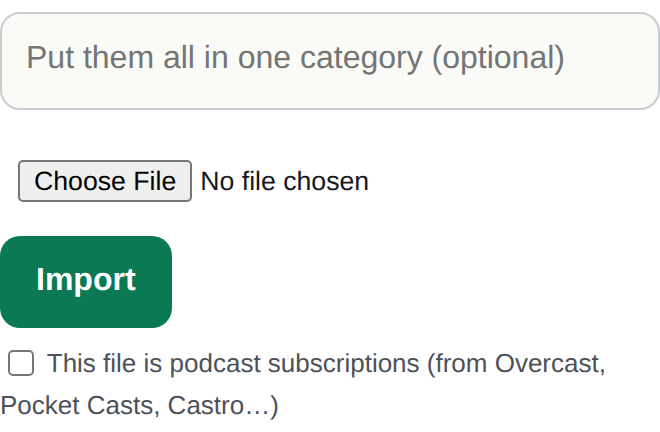
Muuted's Import a list box under Feed Rules, Sources
Where the file goes: Feed Rules › Sources › Import a list.
Step by step

Get the file from Google.

Google Takeout is Google's own export tool. You only need one small part of it.

  1. Open takeout.google.com signed in to the Google account you use for YouTube. Click Deselect all at the top of the list, so nothing else gets exported.
  2. Tick YouTube and YouTube Music. It is near the bottom of the list. Under it, click the button that says All YouTube data included.
  3. Keep only subscriptions. In the box that opens, click Deselect all, tick subscriptions, and click OK. Leave the format button alone.
  4. Click Next step, then Create export. The defaults are fine: export once, .zip, 2 GB. The file will be tiny.
  5. Wait for Google's email. It usually arrives within a few minutes, sometimes longer. Open it and click Download your files, or go back to Takeout and download from there.
  6. Unzip it and find subscriptions.csv. It is inside Takeout › YouTube and YouTube Music › subscriptions. On an iPhone, tap the zip in Files to open it, then browse to that folder.
Then in Muuted

Import the file.

  1. Open Feed Rules from the menu, then Sources.
  2. Tap Import a list and choose subscriptions.csv.
  3. Press Import. Muuted tells you how many channels came across. New videos land in your Video tab and in your feed, in the order they were published, with Shorts hidden.

Channels count as sources. The free plan includes 100, so a big subscription list may hit that ceiling; Muuted stops there and tells you, and nothing is lost.

Questions

FAQ

Do I have to connect my Google account to Muuted?

No. The file is the only thing that moves. Muuted never signs in to Google, and it reads public channel feeds after that.

Google gave me a huge zip. Did I do it wrong?

Probably everything was still ticked. Go back to Takeout, click Deselect all first, tick only YouTube and YouTube Music, and inside it keep only subscriptions. The export should be a few kilobytes.

Can I add channels one at a time instead?

Yes. Search a channel by name in Muuted or paste its address or @handle. The file is just faster when you follow dozens.

Will it import twice if I run it again?

No. Channels you already follow are skipped, so re-importing after you subscribe to new ones just adds the new ones.

What about my podcasts?

Different apps, different exports. Import your podcasts covers each one.

Your channels, in order, with the Shorts gone.Start free →

Start with 100 sources and 10 muted words free. Founding Pro is $4/mo or $36/yr — later $5/mo · $50/yr.